Website Trends 2027: What Businesses Should Consider
Another year is wrapping up, and many businesses are now deciding where to put their money in 2027. If your website is on that list, this article is for you.
In short: your website now has two kinds of visitors. One is a person. The other is an AI assistant that searches, compares and sometimes even books on that person's behalf. Both have their own needs.
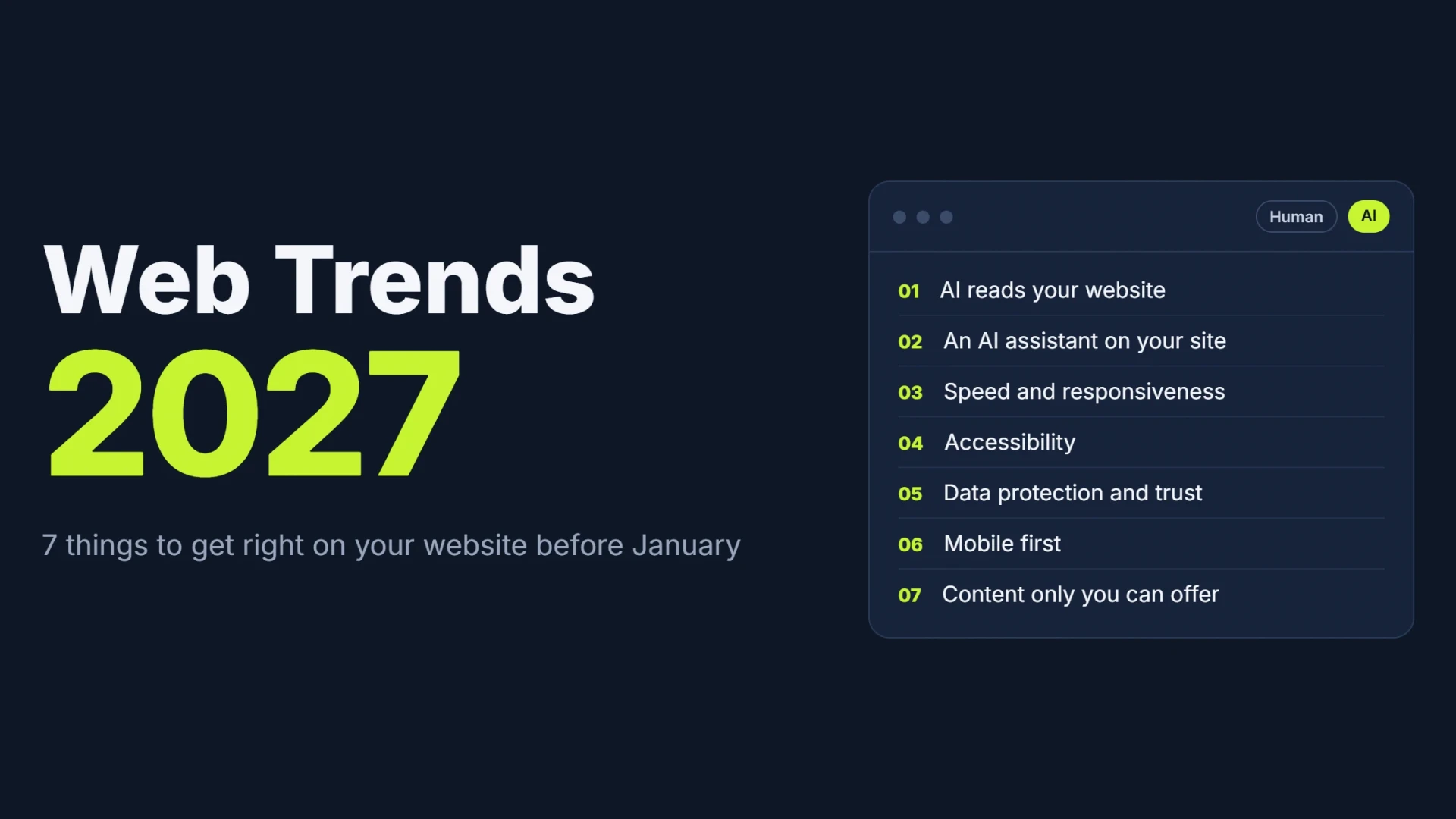
Below are seven areas we think are worth thinking about before January. Some call for a serious investment; others take a weekend.
1. AI reads your website too
Picture this: a customer types into ChatGPT, "Find me a dentist in Tbilisi who works on Saturdays." The assistant looks through several websites, compares them and comes back with an answer. The person may visit your site later through a link the assistant gives them, or they may never visit at all. Either way, their first impression of you comes from what the AI tells them.
Browsers, Chrome included, keep adding features like this. It's called the agentic web: AI doesn't just read a page, it also clicks buttons and fills in forms.
What this means in practice:
- Put prices and opening hours in text. Information baked into a banner or photo may be invisible to AI. And to Google.
- Add structured data (Schema.org). These are hints in the code that say "this is a price", "this is an address", "this product is in stock".
- Name buttons after what they do. "Book now" or "Add to cart" beats "Click here". Form fields need clear labels too.
- Keep information up to date. If your site still shows last year's price, that's exactly the price the AI will quote.
One honest caveat: adding Schema.org won't guarantee you a place in AI answers. It simply helps machines understand your site correctly. The rest comes down to the quality of your content.
We covered this in more depth in our articles "The New Era of SEO: Preparing Your Website for AI Search" and "AI-Readiness Checklist: 20 Things to Check on Your Website".
2. An AI assistant on your own website
We all remember the old chatbots: five buttons, and none of them for your question. The new AI assistants work differently. The customer writes in plain language, and the assistant answers using what's on your website, your prices and your service descriptions. Set up well, it can reply in Georgian and in a foreign guest's own language.
Where it pays off most:
- Clinics: what it costs, when there's a free slot, how to book. The same questions the front desk answers ten times a day.
- Hotels: a guest writes at 2 a.m. in another language and still gets an answer.
- Online stores: choosing a size, delivery, return policies.
- B2B: the first conversation with a potential client and booking a meeting.
One piece of advice that often gets ignored: an assistant can't be smarter than what's written on your site. If your prices are outdated and you have no FAQ, fix that first and think about the assistant afterwards.
And one more thing: an assistant shouldn't make up an answer when it doesn't know. For tricky cases, customers should always have a way to reach a real person.
3. Speed: not just loading, but responding
There's nothing new to say about speed itself: people leave slow websites. What has changed is what we measure.
Google rates websites on three metrics known as Core Web Vitals. The one getting the most attention right now is INP (Interaction to Next Paint). It measures how quickly a site responds to what users do: clicks, taps and typing. Google observes these interactions throughout a visit and records one of the slowest.
Here's what poor INP looks like: you press "Send", nothing happens, and you press it again.
| Metric | What it measures | Good score |
|---|---|---|
| LCP | How quickly the main part of the page appears | ≤ 2.5 seconds |
| INP | How quickly the site responds to an action | ≤ 200 milliseconds |
| CLS | Whether the page "jumps" while loading | ≤ 0.1 |
Google calculates these metrics from real visitor data, not just lab tests. If most of your customers arrive on older phones with weak connections, your scores will show it.
One more detail: an AI agent acting in a browser on someone's behalf loads the page the same way a person does. So on a slow site, it works slowly too.
Check your site with Google PageSpeed Insights. For details, see our article "Core Web Vitals: Three Measures of Website Health".
4. Accessibility
Everyone should be able to use your website: people with weaker eyesight, older users, and those who can't use a mouse and get around with a keyboard only. This is no longer just a matter of goodwill.
The European Accessibility Act (EAA) has been in force since 28 June 2025. It covers certain products and services, including e-commerce. If a Georgian company offers e-commerce services in the EU market that fall under the Act, its requirements may apply to that company too. There are exceptions: for example, microenterprises providing services are generally exempt. The technical basis is the EN 301 549 standard and the WCAG requirements.
Even if the European market isn't on your radar, an accessible website is simply a better website.
What you can check in five minutes:
- Is the text readable against its background? (Light grey text on white is a bad idea.)
- Do images have descriptions (alt text)?
- Are button and link labels clear?
- Can you get through the whole site using only the Tab key?
- Do forms tell you clearly what went wrong?
- Does the page hold together when you enlarge the text?
A word of warning: a ready-made accessibility widget added to the corner of your site doesn't fix the problem, and it doesn't make you compliant with the law either. It's the site itself that needs fixing: its structure, design and functionality.
5. Data protection and trust
People are increasingly careful about what they share and with whom. And rightly so.
In Georgia, the main provisions of the updated Law on Personal Data Protection have been in force since 1 March 2024. Even so, many websites still have no privacy policy. Some do, but it's copied from another site.
What you should have in place for 2027:
- A privacy policy in plain language: what data you collect, why, on what legal basis, and how long you keep it.
- Cookie management: users should know which cookies and tracking you use. Cookies essential for the site to work generally don't require consent, while analytics and advertising cookies often do. Check with a lawyer what applies to your site specifically.
- Only the fields you need: if you ask for a date of birth just to book a callback, it's worth asking yourself why.
- Security: HTTPS, an up-to-date CMS and plugins, and control over who has access to the data.
Trust isn't only about data. When your phone number, address, company details and real photos are easy to find, people feel more comfortable getting in touch.
The full text of the law is available on Matsne (in Georgian). For your specific situation, it's best to consult a lawyer experienced in data protection.
6. Phone first, desktop second (Mobile First)
For many businesses, a large share of website visitors arrive on a phone, often from an Instagram or Facebook ad. That's why we design for the phone first and then adapt to larger screens.
Pick up your phone and check:
- Can you call or message on WhatsApp/Viber with a single tap?
- Is the main button visible straight away, or do you have to look for it?
- Does the phone number field open a numeric keypad?
- Can you read the text without scrolling sideways?
- Do images load quickly? Modern formats like WebP or AVIF help a lot here.
- Can you easily find what you're looking for in the menu?
Microinteractions deserve a special mention. These are the small responses that tell you your action worked: the product was added to the cart, the form was sent, the button changed colour. They aren't decoration: people should always understand what's happening and what comes next. Just make sure the animation doesn't slow the site down.
7. Content only you can offer
Generic AI-written text is already flooding the internet. The more of it there is, the more valuable the things only you have become: your own experience, projects and data. AI can write text, but nothing replaces your real results.
What sets you apart from competitors:
- completed projects, ideally in a "before and after" format;
- your own photos and videos instead of stock images;
- specific prices and detailed service descriptions;
- your team: who they are and what they know;
- genuine customer reviews;
- practical advice from your field.
This kind of information helps people choose, and it tells search engines more about you.
Personalisation means the website adapts a little to each visitor. For example:
- a store suggests items similar to what you've already viewed;
- the site opens in your preferred language;
- seasonal offers appear and disappear at the right time.
The same goes for design. Template websites all look alike. Your own style, typography and photography are what make people remember your site.
What to do before January
You don't need to rebuild your website from scratch. Start with five simple steps:
- Check your speed. Open PageSpeed Insights and pay the most attention to the mobile results.
- Review your information. Are your prices, opening hours, contact details and terms up to date and written as text?
- Navigate your site with a keyboard. Use only the Tab key. Wherever you get stuck, there's a problem.
- Look at data protection. Do you have a privacy policy? Does your cookie banner work properly?
- Update your FAQ. Write down the 10 questions customers ask most often and put the answers on your site.
Is your website ready for 2027?
A good website today isn't just good-looking. It's fast, secure, easy for everyone to use, and clear to both Google and AI assistants.
The Webit team will review your website across these seven areas for free and tell you where it makes sense to start.